Wi-Fi 7: What You Need to Know About the Latest Wi-Fi Standard
HighSpeedOptions prides itself on providing honest, quality content. While we may be compensated when you make a purchase through links on our site, all opinions are our own. Here's how we make money.
Table of Contents
Wi-Fi 7 is the newest Wi-Fi standard designed for faster speeds, lower latency, and better performance in busy, multi-user homes. While it is a significant improvement with impressive capabilities, you’ll need to have Wi-Fi 7-compatible devices and a high-speed internet connection for the full experience.
We’ll cover Wi-Fi 7 features, benefits, and drawbacks; who should upgrade; and how Wi-Fi 7 compares to Wi-Fi 6, Wi-Fi 6E, and Wi-Fi 5.
Key Takeaways About Wi-Fi 7
- The biggest Wi-Fi 7 upgrade is Multi-Link Operation (MLO). It MLO can improve real-world throughput and reduce latency spikes by using more than one band or link when conditions change (especially when 6 GHz is available).
- Wi-Fi 7 is most worth it for multi-gig internet service, busy households, gamers, and work-from-home setups that care about consistent latency, not just top download speeds.
- Gaming, 4K/8K streaming, remote work, and smart homes benefit most from Wi-Fi 7’s combination of multi-gigabit speeds, reduced latency, and capacity to handle many devices.
- Limited device support means you won’t see full benefits immediately, but most Wi-Fi 7 routers are backward-compatible and will futureproof your home network.
- If you’re on Wi-Fi 5, upgrading to Wi-Fi 6/6E is often the best “bang for the buck.” Wi-Fi 7 is more of a premium or future-proof play.
What is Wi-Fi 7?
Wi-Fi 7 (IEEE 802.11be), marketed as Extremely High Throughput (EHT), is the seventh generation of wireless networking technology. It was first available to consumers in 2025 and is built on the foundations of Wi-Fi 6 and Wi-Fi 6E. Wi-Fi 7 improvements are designed to meet the escalating demands of modern digital and internet lifestyle needs.
As our homes are increasingly connected with smart TVs, gaming consoles, security cameras, smart home devices, laptops, and smartphones, there is more competition for bandwidth. Wi-Fi 7 operates in the same frequency bands as Wi-Fi 6 and Wi-Fi 6E, 2.4 GHz, 5 GHz, and 6 GHz, and is engineered for ultra-high performance to offer stable and reliable Wi-Fi with faster speeds and lower latency throughout your home.
Comparing Wi-Fi 7 vs. Wi-Fi 6, Wi-Fi 6E, and Wi-Fi 5
| Wi-Fi Generation | Wi-Fi Standard | Wi-Fi Bands | What you’ll notice most | Best for |
| Wi-Fi 5 | 802.11ac | 2.4 and 5 GHz | Still fine, but it can struggle with lots of devices | Smaller households, lighter use |
| Wi-Fi 6 | 802.11ax | 2.4 and 5 GHz | Better efficiency and capacity in busy homes | Most households (value pick) |
| Wi-Fi 6E | 802.11ax and 6 GHz | 2.4, 5, and 6 GHz | Cleaner new lane (less congestion), great at short range | Apartments and condos, and areas with interference |
| Wi-Fi 7 | 802.11be | 2.4, 5, and 6 GHz | More speed and better latency stability with Wi-Fi 7 devices | Multi-gig, power users, gaming, and remote work |
| Wi-Fi Generation | Wi-Fi 5 |
| Wi-Fi Standard | 802.11ac |
| Wi-Fi Bands | 2.4 and 5 GHz |
| What youâll notice most | Still fine, but it can struggle with lots of devices |
| Best for | Smaller households, lighter use |
| Wi-Fi Generation | Wi-Fi 6 |
| Wi-Fi Standard | 802.11ax |
| Wi-Fi Bands | 2.4 and 5 GHz |
| What youâll notice most | Better efficiency and capacity in busy homes |
| Best for | Most households (value pick) |
| Wi-Fi Generation | Wi-Fi 6E |
| Wi-Fi Standard | 802.11ax and 6 GHz |
| Wi-Fi Bands | 2.4, 5, and 6 GHz |
| What youâll notice most | Cleaner new lane (less congestion), great at short range |
| Best for | Apartments and condos, and areas with interference |
| Wi-Fi Generation | Wi-Fi 7 |
| Wi-Fi Standard | 802.11be |
| Wi-Fi Bands | 2.4, 5, and 6 GHz |
| What youâll notice most | More speed and better latency stability with Wi-Fi 7 devices |
| Best for | Multi-gig, power users, gaming, and remote work |
What Are the Features of Wi-Fi 7?
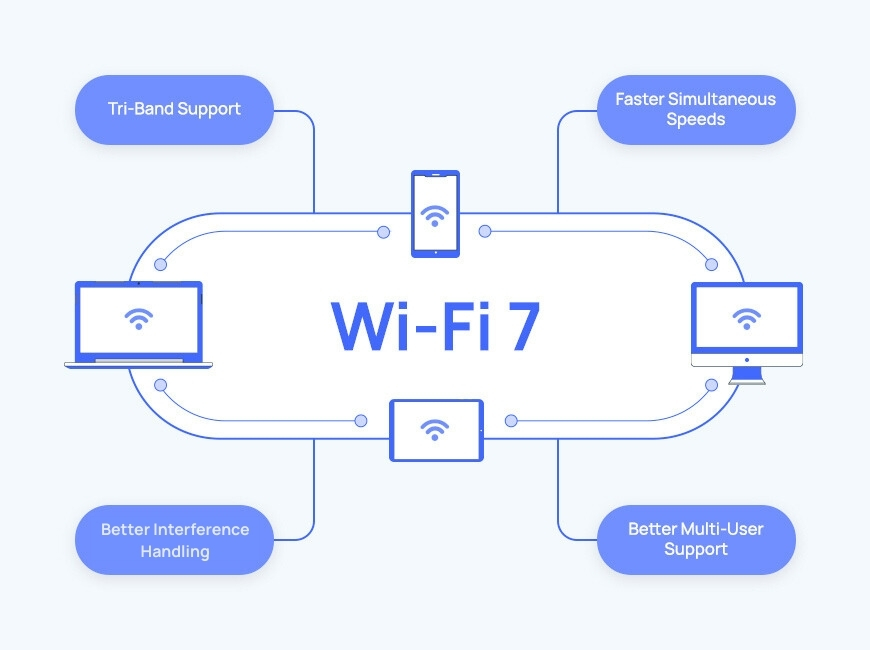
Wi-Fi 7 features include Multi-Link Operation (MLO), wider 6 GHz channels, and smarter interference handling, which improve speed, stability, and latency. It’s designed to make your wireless network faster and more reliable, especially if your home has many users and lots of connected devices.
Multi-Link Operation (MLO)
MLO lets compatible devices connect across multiple bands or links simultaneously (for example, 5 GHz and 6 GHz) to improve speed, manage network bandwidth, and keep latency steadier in the presence of heavy wireless interference. You’ll experience less lag during video conferencing, online games, and streaming your favorite shows.
Wider 6 GHz channels (up to 320 MHz)
Wi-Fi 7 doubles the maximum channel width from 160 MHz (used in Wi-Fi 6E) to an expansive 320 MHz in the 6 GHz band. It’s like having wider pipes in your plumbing system—they allow significantly more data to flow through simultaneously, resulting in faster speeds and higher throughput for bandwidth-intensive activities. This is especially true when you and your device are close to the router and with Wi-Fi 7-compatible devices.
Higher modulation (4K QAM / 4096-QAM)
Quadrature Amplitude Modulation determines how much data can be encoded into each wireless signal. Wi-Fi 7 introduces 4096-QAM, a substantial upgrade from Wi-Fi 6’s 1024-QAM. What does all that mean? It means that Wi-Fi 7 signals carry 20% more data (in ideal conditions) than the previous Wi-Fi generation, increasing peak speeds and throughput (how fast data moves). You’ll notice this more when you have a strong signal and a wireless connection to the router.
Better interference handling (preamble puncturing)
Wi-Fi 7’s preamble puncturing feature identifies and “punctures” (excludes) portions of a Wi-Fi channel affected by interference while continuing to use the clean portions for data transmission. This improves performance even in congested environments, such as apartment buildings or dense urban areas, where multiple networks compete for the same airspace.
Enhanced Multi-User Capabilities
Wi-Fi 7 improves upon Wi-Fi 6’s multi-user, multi-device capabilities (MU-MIMO and OFDMA) to make it exceptionally efficient at managing busy home networks. This is valuable for modern homes with dozens of smartphones, tablets, smart TVs, security cameras, and smart home devices, or for small businesses where many people connect simultaneously. Wi-Fi 7 routers can support more devices per data transmission than Wi-Fi 6, giving everyone fast, reliable connectivity even when the network is crowded.
Wi-Fi 7 Benefits and Drawbacks
Pros
Higher peak speeds (especially at short range) for newer phones and laptops.
Lower and more consistent latency for gaming, video calls, and cloud apps.
Better performance when everyone’s online; more efficiency, less fighting over bandwidth.
More futureproofing if you plan to keep your router 3–5 years or more, and expect more Wi-Fi 7 devices in that time.
Cons
You need Wi-Fi 7 devices to get the full Wi-Fi 7 experience. A Wi-Fi 7 router helps overall network quality, but older devices won’t suddenly become “Wi-Fi 7 fast.”
Higher cost. Wi-Fi 7 routers command premium pricing compared to Wi-Fi 6 alternatives.
Not all Wi-Fi 7 routers include 6 GHz. Some budget Wi-Fi 7 routers are dual-band. If you want the big upgrade path, look for tri-band (2.4, 5, and 6 GHz).
Your internet plan may be the bottleneck. If you’re on 300–500 Mbps and already stable, Wi-Fi 7 may only feel like a marginal upgrade.
Do I need Wi-Fi 7?
Right now, you probably don’t need Wi-Fi 7, especially if you’re not experiencing any Wi-Fi bottlenecks, don’t have any Wi-Fi 7-compatible devices, and have an internet plan that is 500 Mbps or less.
You should seriously consider upgrading if you:
- Have a 1 Gbps or faster internet service and want faster Wi-Fi throughout the house.
- Have a busy household: multiple streamers, gamers, remote workers, smart-home devices.
- Care about low latency and minimal jitter (competitive gaming, video calls, cloud work).
- Will be buying a new router or mesh Wi-Fi system anyway, and want to futureproof for the next 3–5 years.
You can probably skip Wi-Fi 7 (for now) if you:
- Have under 500 Mbps internet service and do not have recurring Wi-Fi issues.
- Don’t have many newer devices, or you won’t be upgrading phones or laptops soon.
- Live in a smaller space with good router placement and minimal interference.
- Would rather buy a strong Wi-Fi 6 or Wi-Fi 6E setup and save money.
Wi-Fi 7 Router Roundup
TP-Link Archer BE9300* (Tri-Band Wi-Fi 7)
- Tri-band Wi-Fi 7 (2.4, 5, and 6 GHz) for more capacity and access to the cleaner 6 GHz band.
- BE9300 speed class (up to 9.2 Gbps aggregate) for fast streaming, gaming, and busy homes.
- Wi-Fi 7 features such as MLO, 320 MHz, and 4K-QAM (best with Wi-Fi 7-capable devices).
- Five 2.5 GbE Ethernet ports (handy for multi-gig internet, wired backhaul, or a fast NAS/PC).
- USB 3.0 and EasyMesh support (expand coverage later with compatible gear).
*Model names may vary by retailer.
TP-Link Archer BE11000 Pro (Tri-Band Wi-Fi 7)
- Tri-band Wi-Fi 7, up to 11 Gbps, with 6 GHz support and 320 MHz channels.
- Multi-Link Operation (MLO) for higher throughput and lower latency with Wi-Fi 7 clients.
- Multi-gig wired connectivity: one 10 Gbps WAN and four 2.5 Gbps LAN, and USB 3.0.
- EasyMesh-compatible to build a whole-home mesh network if you need better coverage later.
- HomeShield security and parental controls (TP-Link’s built-in suite).
NETGEAR Nighthawk RS500 (Tri-Band Wi-Fi 7)
- Tri-band Wi-Fi 7 (BE12000 class; supports up to 12 Gbps) is designed for high-performance home networks.
- Coverage and device capacity: up to 3,000 sq. ft. and up to 120 devices.
- Multi-gig ports: a 2.5 Gbps internet (WAN), a 2.5 Gbps LAN, three 1 Gbps LAN ports, and a USB 3.0 port.
- Quad-core 2.0 GHz processor and 6 internal antennas for handling lots of connections and traffic.
- 6 GHz supports 320 MHz channels and 4K-QAM.
What to look for when buying a Wi-Fi 7 router
- Tri-band (2.4, 5, and 6 GHz) if you want the most futureproof performance.
- 2.5 GbE or 10 GbE WAN/LAN ports if you have or plan to get 1 Gbps or faster internet.
- Mesh vs. single router: if you have dead zones, multiple floors, or long hallways, a mesh system is usually the better solution than one powerful router.
- Placement still matters: even the best Wi-Fi 7 router can’t overcome poor placement (in a cabinet, behind a TV, at the far end of the house).
Frequently Asked Questions About Wi-Fi 7
Wi-Fi 7 adds new capabilities to home wireless networking, especially MLO (Multi-Link Operation), that can improve speed and reduce latency spikes when your Wi-Fi network conditions change.
It can improve overall network quality with multi-band support, better processing, smarter handling of congestion, but you won’t experience Wi-Fi 7 capabilities on older devices.
Faster speeds are part of it, but many people benefit more from improved stability and lower latency, especially while gaming online and video conferencing.
For many households, yes. Wi-Fi 6E’s big win is the addition of the 6 GHz band, which is cleaner and has more channels. This is helpful if there is a lot of wireless interference and competing Wi-Fi networks, like in apartment or condo buildings.
Premium pricing typically comes from tri-band routers (ones that broadcast the 2.4, 5, and 6 GHz bands), faster processors, and multi-gig (2.5G/10G) Ethernet ports, and mesh kits include multiple units.
It is, but in different ways. Apartments benefit from a cleaner spectrum and tools that manage or reduce interference. Large homes benefit most from a Wi-Fi 7 mesh system that can offer better coverage and strong backhaul options, like multi-gig WAN and LAN ports.
Probably not in a dramatic way. If your internet plan tops out at 300–500 Mbps, your internet provider speed is usually the limiting factor, so Wi-Fi 7 won’t increase your max download speeds much. It can still help if your current Wi-Fi is the problem (busy household, interference, weak coverage) by improving stability and latency consistency, but a strong Wi-Fi 6 or Wi-Fi 6E router is often the better value at those speeds.
Find providers in your area
Share this post:



Table of Contents