Does Weather Affect Satellite Internet?
HighSpeedOptions prides itself on providing honest, quality content. While we may be compensated when you make a purchase through links on our site, all opinions are our own. Here's how we make money.
Table of Contents
Yes, weather does affect satellite internet. Rain, snow, and severe storms can slow your connection and even cause brief outages. The extent of inclement weather’s impact on your satellite internet depends on your provider. Newer satellite services like Starlink are more weather-resilient than older providers like HughesNet and Viasat, but all satellite internet services can be affected to some degree.
Read on to understand how weather can impact your satellite internet connection, what to do during storms, and which satellite services are susceptible to weather.
Key Takeaways: Weather’s Effect on Satellite Internet
- Satellite internet is more susceptible to weather disruptions than cable, fiber, or DSL because the signal must travel through the atmosphere.
- Rain causes the most problems because it absorbs and scatters the signal, causing slowdowns or brief outages (a phenomenon called rain fade).
- Not all satellite services are equally affected. Newer low-orbit providers like Starlink hold up better in storms than traditional geostationary services.
- Snow buildup on your dish is a separate problem; it physically blocks the signal regardless of rain fade.
- You can reduce the impact of weather on your satellite internet by keeping your dish clear, using a battery backup, and keeping a mobile hotspot handy.
Why Does Weather Affect Satellite Internet?
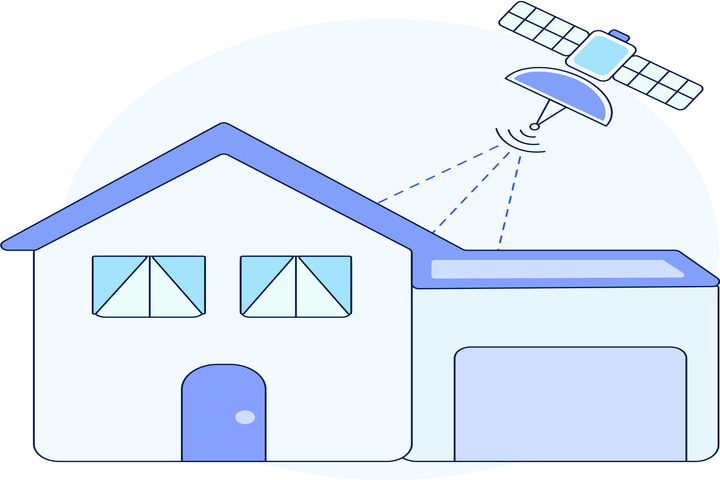
Satellite signals travel through the atmosphere to reach your dish. That long journey through air, clouds, and sometimes snow or rain, makes them vulnerable in ways that wire-based connections, like cable or fiber, are not.
Rain, snow, or dense cloud cover causes what’s called rain fade, where the water molecules absorb and scatter the signals traveling between orbiting satellites and ground stations or your dish. The heavier the precipitation, the more the signal is disrupted and the slower and less reliable your connection becomes.
The satellites’ altitude compounds the problem. Traditional geostationary equatorial orbit (GEO) satellites that HughesNet and Viasat use orbit about 22,000 miles above Earth. Every data packet has to travel that distance through the atmosphere twice (down to you and then back up to the satellite). Newer low Earth orbit (LEO) satellite systems like Starlink orbit at just 340 to 550 miles. That shorter trip through the atmosphere means far less exposure to weather.
Simply put, the farther a signal travels through rain or snow, the more it degrades.

- High-speed satellite internet
- Low-latency connection
- No annual contracts

- Satellite internet
- 2-year fixed pricing
- No hard data caps

- Fast satellite internet
- Ideal for rural areas
- Up to 3x faster than DSL*
What to Expect from Various Weather Conditions
Not all bad weather is created equal when it comes to your satellite connection. Here is what to expect from your satellite internet performance under different weather conditions.
| Condition | What Happens | What To Do |
| Light rain or drizzle | Minimal to no impact for most users. Starlink users typically notice nothing. HughesNet and Viasat may see slight speed dips. | Nothing required. Normal use. |
| Heavy, sustained rain | Starlink dishes heat themselves and automatically melt light snow. Heavy, fast-accumulating snowfall can outpace the heater. | Noticeable slowdowns likely. GEO users (HughesNet, Viasat) may lose service temporarily. Starlink may slow, but it rarely disconnects. Research shows up to 38% downlink throughput reduction on Starlink during heavy rain . |
| Thunderstorm | Highest risk of outage. Combines heavy rain, thick clouds, and potential power surges. GEO services most affected. | Unplug equipment during lightning. Use a UPS battery backup for your modem/router. Switch to mobile hotspot if needed. |
| Snow (falling) | Even 1 inch of snow or a thin layer of ice on the dish face can degrade or completely drop your connection. | Monitor performance. If speeds drop, check the dish for buildup. Standard dish melts ~1.5 inches per hour; High Performance dish handles ~3.5 inches/hour. |
| Snow/ice buildup on the dish | Check your provider’s outage map or app. This usually resolves automatically when the gateway weather clears. | Starlink: enable Snow Melt mode in the app. HughesNet or Viasat: gently brush snow off with a soft brush. Never chip at ice; it can damage or misalign the dish. Let it melt naturally; consider a dish heater or nylon cover for recurring winter issues. |
| Heavy clouds only | Minimal impact for most users. Dense storm clouds can slightly reduce signal strength, especially for GEO services. | No action needed unless clouds are accompanied by rain or storms. |
| High winds | Dish misalignment is the main risk, not signal interference. Dishes are rated for significant wind speeds (Starlink standard: 75 mph; High Performance: 174 mph). | Check dish alignment after severe wind events. Contact your provider if speeds don’t return to normal. |
| Clear skies at home, outage anyway | Storms at your provider’s ground station (gateway) can disrupt service even when it’s sunny at your house. | Check dish alignment after severe wind events. Contact your provider if speeds don’t return to normal. |
| Condition | Light rain or drizzle |
| What Happens | Minimal to no impact for most users. Starlink users typically notice nothing. HughesNet and Viasat may see slight speed dips. |
| What To Do | Nothing required. Normal use. |
| Condition | Heavy, sustained rain |
| What Happens | Starlink dishes heat themselves and automatically melt light snow. Heavy, fast-accumulating snowfall can outpace the heater. |
| What To Do | Noticeable slowdowns likely. GEO users (HughesNet, Viasat) may lose service temporarily. Starlink may slow, but it rarely disconnects. Research shows up to 38% downlink throughput reduction on Starlink during heavy rain . |
| Condition | Thunderstorm |
| What Happens | Highest risk of outage. Combines heavy rain, thick clouds, and potential power surges. GEO services most affected. |
| What To Do | Unplug equipment during lightning. Use a UPS battery backup for your modem/router. Switch to mobile hotspot if needed. |
| Condition | Snow (falling) |
| What Happens | Even 1 inch of snow or a thin layer of ice on the dish face can degrade or completely drop your connection. |
| What To Do | Monitor performance. If speeds drop, check the dish for buildup. Standard dish melts ~1.5 inches per hour; High Performance dish handles ~3.5 inches/hour. |
| Condition | Snow/ice buildup on the dish |
| What Happens | Check your provider’s outage map or app. This usually resolves automatically when the gateway weather clears. |
| What To Do | Starlink: enable Snow Melt mode in the app. HughesNet or Viasat: gently brush snow off with a soft brush. Never chip at ice; it can damage or misalign the dish. Let it melt naturally; consider a dish heater or nylon cover for recurring winter issues. |
| Condition | Heavy clouds only |
| What Happens | Minimal impact for most users. Dense storm clouds can slightly reduce signal strength, especially for GEO services. |
| What To Do | No action needed unless clouds are accompanied by rain or storms. |
| Condition | High winds |
| What Happens | Dish misalignment is the main risk, not signal interference. Dishes are rated for significant wind speeds (Starlink standard: 75 mph; High Performance: 174 mph). |
| What To Do | Check dish alignment after severe wind events. Contact your provider if speeds don’t return to normal. |
| Condition | Clear skies at home, outage anyway |
| What Happens | Storms at your provider’s ground station (gateway) can disrupt service even when it’s sunny at your house. |
| What To Do | Check dish alignment after severe wind events. Contact your provider if speeds don’t return to normal. |
Which Satellite Provider Handles Weather Best?
Your choice of provider is the single biggest factor in how much weather affects your connection. Here is how the main options compare.
| Provider | Satellite Type | Weather Sensitivity | Best For |
| Starlink | LEO (Ku/Ka-band) | Low; handles most storms well; brief slowdowns only in severe downpours | Storm-prone regions, users who need reliable everyday performance |
| HughesNet | GEO (Ka-band) | Rural areas with moderate weather and a need for speed | Areas with mild weather; tightest budget |
| Viasat | GEO (Ka-band) | Moderate-High; light rain usually OK; severe storms cause outages | Rural areas with moderate weather and need for speed |
| Amazon Leo (formerly Kuiper) | LEO (Ka-band) | Low-Moderate; early rollout; expected similar resilience to Starlink | Early adopters; service expanding in 2026 |
| Provider | Starlink |
| Satellite Type | LEO (Ku/Ka-band) |
| Weather Sensitivity | Low; handles most storms well; brief slowdowns only in severe downpours |
| Best For | Storm-prone regions, users who need reliable everyday performance |
| Provider | HughesNet |
| Satellite Type | GEO (Ka-band) |
| Weather Sensitivity | Rural areas with moderate weather and a need for speed |
| Best For | Areas with mild weather; tightest budget |
| Provider | Viasat |
| Satellite Type | GEO (Ka-band) |
| Weather Sensitivity | Moderate-High; light rain usually OK; severe storms cause outages |
| Best For | Rural areas with moderate weather and need for speed |
| Provider | Amazon Leo (formerly Kuiper) |
| Satellite Type | LEO (Ka-band) |
| Weather Sensitivity | Low-Moderate; early rollout; expected similar resilience to Starlink |
| Best For | Early adopters; service expanding in 2026 |
Ka-band: A high-frequency radio signal used by satellites like HughesNet and Viasat. Higher frequency means it can carry more data, but it’s more susceptible to weather disruptions.
Ku-band: A lower-frequency radio signal used primarily by Starlink for home connections. It carries slightly less data than Ka-band, but its longer wavelengths pass through rain and clouds with less interference, making it more reliable in bad weather.
Starlink uses a combination of Ku-band and Ka-band frequencies across a constellation of over 7,000 LEO satellites. Its low orbit and large satellite count mean your dish is almost always communicating nearly vertically with a satellite overhead, dramatically reducing atmospheric path length compared to GEO systems.
HughesNet and Viasat both use Ka-band GEO satellites. Ka-band signals carry a lot of data but are more susceptible to moisture absorption. According to HughesNet’s own support documentation, heavy cloud cover, local storms, or weather events at distant ground hubs can all cause service disruption. Viasat states that light rain or snow typically will not interrupt service, but severe storms may cause a temporary loss of connection.
Amazon Leo (formerly Project Kuiper) launched its first production satellites in April 2025 and began early service in the United States, the United Kingdom, France, Germany, and Canada in early 2026. It uses Ka-band LEO satellites, and while real-world weather performance data remains limited, its LEO architecture suggests weather resilience comparable to Starlink’s.
- High-speed satellite internet
- Low-latency connection
- No annual contracts
How Can You Improve Your Connection During Storms?
Although you can’t control the weather, there are a few ways to help reduce its impact.
1. Keep your satellite dish clear
Your dish needs a clear view of the sky. Snow buildup is the most common preventable cause of outages during winter storms. The Starlink standard dish has a built-in heater that melts approximately 1.5 inches of snow per hour (the high-performance dish handles roughly 3.5 inches per hour). In very heavy snowfall, the heater may not keep up.
- Clear snow from the dish using a long-handled soft broom from the ground when safely reachable.
- For ice: use warm (not boiling) water. Never chip ice with a scraper or tool; you risk damaging the dish or knocking it out of alignment.
- After a storm, check that the dish has not been knocked out of position by wind or debris.
2. Restart your router after a storm
Often, the simplest fix is the most effective. Restarting your router clears congestion and helps it run smoothly, regardless of internet connection type. Check your provider’s instructions for the proper method and allow about ten minutes for a full reboot. For prevention, restart it monthly and set a reminder so you don’t forget. Keep router firmware updated; many updates improve weather-related stability.
3. Use a battery backup (UPS)
Storms often knock out power grids. Using an uninterruptible power supply (UPS) for your modem and router keeps you online during temporary outages. Routers draw minimal wattage, so even a modest battery unit will keep you connected through most short outages.
4. Have a mobile hotspot as backup
When your satellite connection goes down, a 4G or 5G mobile hotspot provides a reliable fallback. This is especially important for remote workers or households that depend on connectivity during severe weather events lasting hours.
5. Consider your dish location and elevation angle
A dish mounted higher, with a clear 360-degree sky view, will outperform one tucked under an overhang or surrounded by trees. Even wet foliage can attenuate a signal on a signal-marginal installation. If you live in a high-precipitation area, professional installation with optimal placement pays dividends.
What to Check After the Storm
If your connection does not return to normal speed within 15 to 30 minutes after the weather clears, run through this checklist:
- Check your provider’s app or outage page; the issue may be at the ground station, not your dish.
- Inspect the dish for accumulated snow, ice, or debris.
- Check for physical damage or misalignment from wind.
- Reboot your modem and router.
- If speeds remain degraded, contact your internet provider. The dish may need professional realignment.
One important note: it is possible to have a clear sky at your house and still experience an outage. Your provider routes your connection through ground stations (gateways) located hundreds of miles away. If severe weather hits that gateway location, your service can be disrupted even when it is sunny at home. This is normal and usually resolves once the gateway weather clears.
Weatherproofing Your Satellite Internet
Satellite internet is more sensitive to weather than other connection types, but you don’t have to accept constant slowdowns or outages. For most users, most of the time, rain and clouds cause little to no noticeable impact.
The biggest factors are your provider and your location. If you live in an area with frequent heavy rain, snowstorms, or severe weather, choosing a LEO provider like Starlink offers meaningful advantages over traditional GEO services. If you are in a mild-weather region, HughesNet or Viasat may serve you fine at a lower cost.
Whatever service you use, simple steps like keeping your device clear, rebooting your router, using a battery backup, and having a backup are low-cost ways to stay connected even when the weather does not cooperate. You can also prevent satellite internet connectivity issues with simple, regular maintenance steps.
Inclement Weather and Satellite Internet FAQs
Yes, especially during heavy rain or snow. Rain fade (the absorption of radio signals by water molecules) can reduce speeds during severe storms. HughesNet and Viasat (GEO satellites) are more affected than Starlink (LEO). Heavy rainfall can reduce Starlink performance by 38%, but outages are rare.
Your home Wi-Fi network is not affected by rain or snow. But if your satellite internet signal is degraded by weather, you’ll notice it in your Wi-Fi speeds since the it is only as fast as the connection it is sharing.
Starlink performs well in most bad weather. Light rain, moderate snow, and typical cloud cover cause little-to-no impact for most users. In very heavy, sustained downpours or severe thunderstorms, users may experience slower speeds or brief outages. After the storm passes, service returns automatically.
Yes, more so than Starlink. Both use Ka-band geostationary satellites 22,000 miles above Earth, meaning signals travel a much longer path through the atmosphere. Heavy clouds, local storms, or weather at distant ground hubs can cause outages in HughesNet service. Light rain or snow typically will not interrupt Viasat satellite service, but severe storms can cause temporary loss of connection.
First, wait. Most weather-related outages clear on their own. Check your provider’s app or outage page to see if the issue is at a gateway, not your dish. After the storm, inspect your satellite dish for snow or ice buildup and check for misalignment. Restart your modem and router. If speeds do not recover within 30 minutes of the weather clearing, contact your provider.
Yes. Even a thin layer of snow or ice on the dish’s face can degrade or completely drop your connection. Starlink dishes have a built-in heater that manages most snowfall automatically, but heavy accumulation can outpace it. Clear snow carefully with a soft, long-handled broom from the ground. Do not chip ice off of your dish, use warm water instead.
Satellite providers route connections through ground stations called gateways, which can be located anywhere in the country. If a storm hits near your provider’s gateway, your service can be disrupted even under clear skies at home. This is a known limitation of GEO satellite systems in particular, and it typically resolves when the gateway weather clears.
Starlink (LEO, Ku/Ka-band) is currently the most weather-resilient residential satellite option available. Its low-orbit satellites, large constellations, and multi-satellite handoff capability make it far more resistant to storms than GEO-based services. Amazon Leo (formerly Kuiper) is expected to offer comparable resilience as it builds out its constellation in 2026.
Find providers in your area
Share this post:



Table of Contents