Wi-Fi 6: Features, Benefits, and Whether You Should Upgrade
HighSpeedOptions prides itself on providing honest, quality content. While we may be compensated when you make a purchase through links on our site, all opinions are our own. Here's how we make money.
Table of Contents
Wi-Fi is one of those things you only notice when it is not working well. A video call starts freezing, your game lags, or the living room TV buffers the second someone else starts streaming.
Wi-Fi 6 (also called 802.11ax) was created for that modern reality: lots of devices, lots of activity, all at once. It is a big step up from Wi-Fi 5, and it’s still a strong “sweet spot” upgrade even as newer standards like Wi-Fi 7 become available. Here we’ll highlight what Wi-Fi 6 is, what it improves, how it compares to Wi-Fi 6E and Wi-Fi 7, and how to tell if upgrading will improve your internet lifestyle.
Key Takeaways About Wi-Fi 6
- Wi-Fi 6 (802.11ax) is designed to improve performance on busy networks with many connected devices.
- Wi-Fi 6 can reach up to 9.6 Gbps in theory across multiple channels, but real-world speeds are usually lower.
- Wi-Fi 6E adds access to the 6 GHz band, which can reduce congestion for compatible devices.
- To get the full benefits, you generally need a Wi-Fi 6 router and Wi-Fi 6-capable devices.
- Wi-Fi 7 is already on the market and targets even higher performance, but most households will still see meaningful gains from Wi-Fi 6 or 6E.

What is Wi-Fi 6?
Wi-Fi 6 is the sixth-generation Wi-Fi standard, based on 802.11ax. It’s a newer way for your Wi-Fi router and devices to share signals more efficiently.
But Wi-Fi 6 is not just about faster speeds. It is mainly about handling many devices and lots of simultaneous activity with fewer slowdowns. The IEEE (Institute of Electrical and Electronics Engineers, a global standards and engineering professional organization), notes that 802.11ax targets better performance in dense, busy environments, including homes filled with connected gadgets.
What changed compared to Wi-Fi 5 (802.11ac)?
- Better efficiency when many devices are online at once (phones, TVs, laptops, smart home gear).
- Smarter ways to schedule transmissions so devices spend less time being queued.
- Improvements that can help reduce lag and improve responsiveness, especially on busy networks.
Wi-Fi 6 vs Wi-Fi 5 vs Wi-Fi 6E vs Wi-Fi 7: What’s The Difference?
They are Wi-Fi naming standards, and they get confusing fast, so here is the simplest explanation of their differences:
- Wi-Fi 5 (802.11ac): Older, still common, can struggle in very busy homes.
- Wi-Fi 6 (802.11ax): Big efficiency upgrade for many devices.
- Wi-Fi 6E: Wi-Fi 6 plus access to 6 GHz (a less crowded frequency for compatible devices).
- Wi-Fi 7 (802.11be): Newest generation, already in the market, built for even higher performance and lower latency.
| Standard | IEEE Name | Bands | Best For | Practical Note |
| Wi-Fi 5 | 802.11ac | 5 GHz | Basic streaming, browsing, smaller networks | It can get congested with many devices |
| Wi-Fi 6 | 802.11ax | 2.4 + 5 GHz | Busy homes, work-from-home, gaming, smart devices | Efficiency is the main win |
| Wi-Fi 6E | 802.11ax (6 GHz added) | 2.4 + 5 + 6 GHz | Congested areas, newer phones/laptops that support 6 GHz | Requires 6E router + 6E devices |
| Wi-Fi 7 | 802.11be | 2.4 + 5 + 6 GHz | Basic streaming, browsing, and smaller networks | Doubles channel width for faster Wi0Fi (320 MHz) |
| Standard | Wi-Fi 5 |
| IEEE Name | 802.11ac |
| Bands | 5 GHz |
| Best For | Basic streaming, browsing, smaller networks |
| Practical Note | It can get congested with many devices |
| Standard | Wi-Fi 6 |
| IEEE Name | 802.11ax |
| Bands | 2.4 + 5 GHz |
| Best For | Busy homes, work-from-home, gaming, smart devices |
| Practical Note | Efficiency is the main win |
| Standard | Wi-Fi 6E |
| IEEE Name | 802.11ax (6 GHz added) |
| Bands | 2.4 + 5 + 6 GHz |
| Best For | Congested areas, newer phones/laptops that support 6 GHz |
| Practical Note | Requires 6E router + 6E devices |
| Standard | Wi-Fi 7 |
| IEEE Name | 802.11be |
| Bands | 2.4 + 5 + 6 GHz |
| Best For | Basic streaming, browsing, and smaller networks |
| Practical Note | Doubles channel width for faster Wi0Fi (320 MHz) |
About top speeds: theoretical maximums of 9.6 Gbps for Wi-Fi 6, 3.5 Gbps for Wi-Fi 5, and up to 46 Gbps for Wi-fi 7, but performance will vary based on devices, network quality, and router placement.
Do You Need Wi-Fi 7?
If you are buying a new premium router today and you also plan to upgrade devices soon, Wi-Fi 7 is the way to go. But for most households, Wi-Fi 6 (or 6E if you have compatible devices and live in a congested area) is still a practical upgrade. Wi-Fi 7’s benefits are real, but you will get the most value when you also have Wi-Fi 7-capable devices.

What Are The Benefits of Wi-Fi 6?
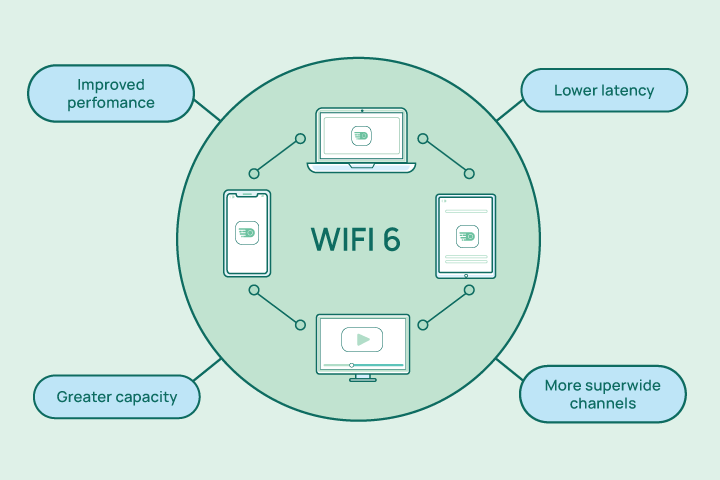
Wi-Fi 6 improves a few specific things over older Wi-Fi standards that you’ll notice if you upgrade: speed consistency, responsiveness, and fewer slowdowns when handling many devices and connections.
Faster Speeds
Wi-Fi 6 is often described as faster, and it can be. But the bigger change is how well it performs when multiple devices are active.
- WiFi 6 has a theoretical maximum throughput of 9.6 Gbpsacross multiple channels, versus 3.5 Gbps for Wi-Fi 5.
- It’s hard to hit that top speed, though. Wi-Fi performance depends on distance, walls, interference, router quality, and device capability.
What you are more likely to notice with Wi-Fi 6:
- More stable streaming when other people are online
- Faster transfers within your home network (like sending files to a NAS or backing up to a local device)
- Fewer “random” slowdowns when the network is busy
Increased Capacity
This is the headline benefit for most people. Wi-Fi 6 is built to keep things moving when your network is crowded.
The IEEE explains that 802.11ax addresses performance degradation in dense Wi-Fi usage situations, which describes most modern households that have multiple users.
Wi-Fi 6 tends to help most when you have:
- Multiple people streaming HD video at the same time
- Video meetings for remote work while others are gaming online
- Lots of smart home devices that are always connected
Lower Latency (Better Responsiveness)
Internet latency is the delay between “I clicked” and “it happened.” Low latency matters for gaming, video calls, and anything interactive and real-time. Wi-Fi 6 can reduce latency up to 75% in some scenarios by handling large amounts of network traffic more efficiently.
Even if you don’t see that kind of latency improvement, improved scheduling and efficiency can still make a busy network feel more responsive.
Longer Battery Life
Wi-Fi 6 includes a feature called Target Wake Time (TWT), which helps some devices conserve power by scheduling when they wake up to send or receive data. This is especially relevant for battery-powered devices and IoT gear.
Enhanced Security
Wi-Fi 6 includes new security protocols, such as WPA3, which is a newer security standard than WPA2 that provides enhanced protection against cyber threats. For Wi-Fi 6E devices operating on 6 GHz, WPA3 is mandatory as part of the Wi-Fi 6E ecosystem.
If your router supports WPA3, you should enable it as long as your older devices still establish a reliable connection.
How Much Speed Do I Need?
Take our speed quiz to determine what speed you need based how you use the internet in your household.
Find the Speed You NeedDo I Need Wi-Fi 6?
It depends on how you currently use the internet and how many others in your household use it at the same time.
You should seriously consider upgrading to Wi-Fi 6 if:
- Your home has lots of connected devices (smart home, tablets, phones, TVs, consoles)
- You work from home and need stable video calls
- People in your home game online while others stream
- Your current Wi-Fi slows down dramatically at peak times
You can probably wait if:
- You live in a small space with few devices, and your Wi-Fi is already stable
- Your internet plan speed is low enough that Wi-Fi is not the bottleneck
- Your main issue is dead zones, which might be solved with better router placement or a mesh system (even before upgrading standards)
Wi-Fi 6 improves your wireless home network connection. It does not increase the speed from your internet provider.

Will My Devices Work with Wi-Fi 6?
Most of your devices will likely work with Wi-fi 6 because it is backwards compatible with previous generations of Wi-Fi technology, including Wi-Fi 5 (802.11ac) and Wi-Fi 4 (802.11n). You can still connect older devices to a Wi-Fi 6 router and use the internet, but they won’t benefit from the advanced features of Wi-Fi 6.
To take full advantage of the faster speeds and other benefits of Wi-Fi 6, the device you’re using must be Wi-Fi 6-capable.
How To Check If Your Device Supports Wi-Fi 6
- Look up the device specs and search for “802.11ax” or “Wi-Fi 6.”
- Windows: Check your Wi-Fi adapter name in Device Manager and look up the model.
- macOS: Use System Information and review the Wi-Fi details, then confirm the standard.
Wi-Fi 6 vs Wi-Fi 6E Compatibility
Wi-Fi 6E requires:
- A Wi-Fi 6E router
- A Wi-Fi 6E-capable device that supports 6 GHz
If they don’t support 6 GHz, your device will connect on 2.4 GHz or 5 GHz instead.
How Can I Tell If I Have a Wi-Fi 6 Router?
Here are a few quick ways to check if you have a Wi-Fi 6 router:
- Check your router model name: Look for “AX” or “Wi-Fi 6” on the label or in the product listing.
- Log in to your router admin page or app: Many routers list the Wi-Fi standard in the wireless settings.
- Check your device’s Wi-Fi details: Some phones and laptops show “Wi-Fi 6” when connected.
- Confirm the standard: Look for “802.11ax” in the router specs.
What Providers Offer Wi-Fi 6 Devices?
Depending on who your internet provider is, you may already have or have access to Wi-Fi 6 technology. Here are a few providers that currently offer Wi-Fi 6 hardware:
Xfinity
Xfinity offers the xFi Advanced Gateway, which supports speeds of up to 6 Gbps and provides coverage for up to 4,500 square feet.

- Same-day installations
- 22+ million free Wi-Fi hotspots
- Unlimited data available
AT&T
The AT&T BGW320 gateway is Wi-Fi 6 capable and is available with certain fiber multi-gig plans.

- Variety of plans
- Wide availability
- Fiber internet speeds
Spectrum
The Spectrum Advanced Wi-Fi router is Wi-Fi 6 and is included in some of Spectrum’s higher-tier speed plans.

- Contract buyouts up to $500
- Free access to Wi-Fi hotspots
- Nationwide availability
Cox Communications
Cox offers the Panoramic Wi-fi Gateway, which is a tri-band Wi-Fi integrated router and modem.
Note: Availability may vary depending on location.

- Low introductory prices
- Excellent customer support
- Blazing fast speeds
Roundup of WiFi 6 Routers
If your provider doesn’t offer Wi-Fi 6 equipment, or you prefer to run your own equipment rather than rent a modem or router, here’s a look at some of the top-selling Wi-Fi 6 routers on the market today:
ASUS RT-AX88U
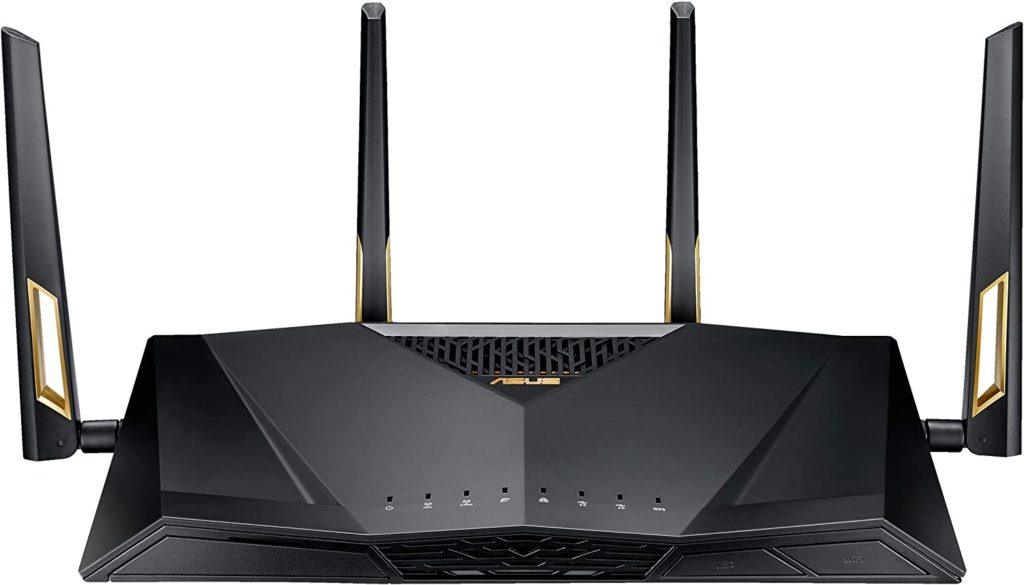
This router offers speeds of up to 6000 Mbps, with 8 Gigabit LAN ports and 1 Gigabit WAN port. It also has built-in AI security to protect your network from cyber threats and comes with a user-friendly setup and management app.
Netgear Nighthawk AX12
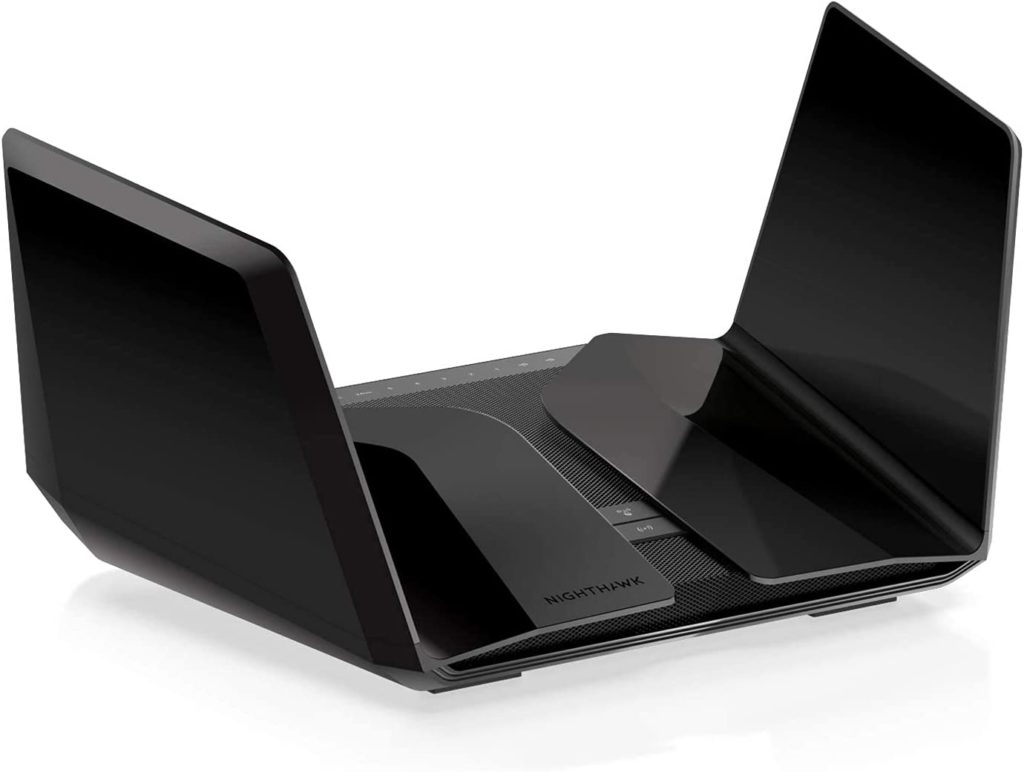
This router offers speeds of up to 6000 Mbps, with 4 Gigabit LAN ports and 1 Gigabit WAN port. It has a powerful quad-core processor and advanced beamforming technology to deliver fast and reliable Wi-Fi coverage throughout your home.
TP-Link Archer AX6000

This router offers speeds of up to 6000 Mbps, with 8 Gigabit LAN ports and 1 Gigabit WAN port. It features advanced security features like WPA3 encryption, parental controls, and guest network support. It also comes with an easy-to-use Tether app for setup and management.
Note: Top speeds are maximums. Your actual speed depends on band, channel width, device capability, and signal strength.
Get the Most Out of Wi-Fi 6
This router offers speeds of up to 6000 Mbps, with 8 Gigabit LAN ports and 1 Gigabit WAN port. It features advanced security features, like WPA3 encryption, parental controls, and guest network support. It also comes with an easy-to-use Tether app for setup and management.
Note: Top speeds are maximums. Your actual speed depends on band, channel width, device capability, and signal strength.
Frequently Asked Questions About Wi-Fi 6
Wi-Fi 6 is a newer Wi-Fi standard that improves efficiency and performance on busy home networks. The IEEE notes it focuses on handling dense usage and many connected devices, not just raw speed.
Yes. You need a Wi-Fi 6-capable router to use Wi-Fi 6 features. Older devices can still connect, but they will not gain every Wi-Fi 6 benefit.
Wi-Fi 6E adds access to the 6 GHz band, which can reduce congestion for compatible devices. It requires both a Wi-Fi 6E router and Wi-Fi 6E devices.
It can be faster for online gaming, especially in busy households, because it handles traffic more efficiently. More importantly for gaming, Wi-Fi 6 can reduce internet latency in some scenarios.
Look for “Wi-Fi 6,” “AX,” or “802.11ax” in the specs. Many router apps and admin pages also list the Wi-Fi standard.
Wi-Fi 6 routers often support WPA3, and WPA3 is mandatory for Wi-Fi 6E devices operating in 6 GHz.
Find providers in your area
Share this post:



Table of Contents