How to Choose & Use a VPN [Guide]
HighSpeedOptions prides itself on providing honest, quality content. While we may be compensated when you make a purchase through links on our site, all opinions are our own. Here's how we make money.
Table of Contents
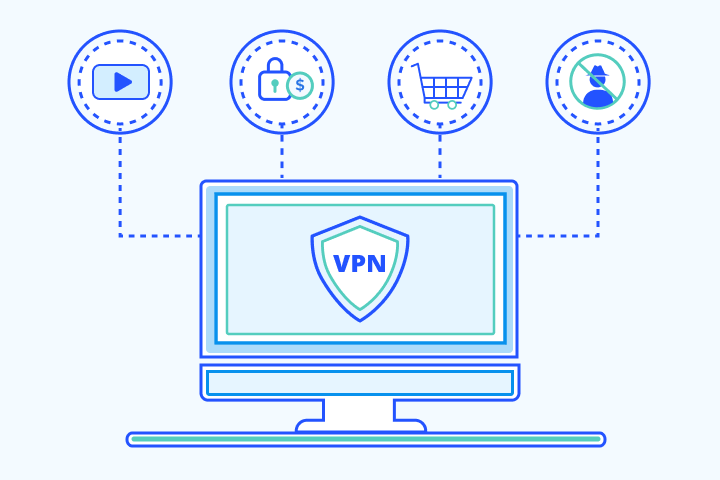
Choosing a VPN (virtual private network) shouldn’t be guesswork. This guide shows you exactly how to choose and use a VPN—from evaluating no-logs audits, jurisdiction, protocols (WireGuard vs. OpenVPN), and pricing at renewal, to turning on core protections like a kill switch and DNS/WebRTC leak blocking.
You’ll get quick picks by goal (privacy, streaming, gaming), a simple protocol table, myth-vs-reality callouts, and a step-by-step setup checklist. Expect minor slowdowns, learn when a VPN helps with bandwidth throttling by internet providers, and confirm your connection with IP/DNS leak tests. By the end, you’ll know which provider fits your needs and how to configure it safely—in minutes.

Quick Takes: How to Choose and Use a VPN
- Choose an audited no-logs VPN and prefer WireGuard for speed (OpenVPN as a fallback).
- Enable kill switch and DNS/WebRTC leak protection.
- Choose nearby servers for performance; target-country servers for libraries.
- Confirm streaming/P2P support, renewal pricing, and a 30-day refund.
- Connect, then verify your IP address has changed, and run a quick DNS leak test.
How do I choose a VPN?
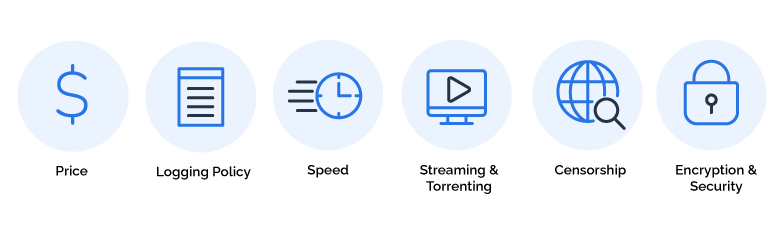
Use this quick checklist to match your needs to a VPN provider. Match the features to your VPN goals to find the product.
- No-logs policy with a recent independent audit. A no-logs policy means the provider does not record your browsing activity, connection timestamps, or IP addresses. Independent audits verify that claim.
Why it matters: because third-party checks build trust beyond marketing. Look for a public audit summary dated within the last 12–24 months.
- Jurisdiction that aligns with your privacy comfort. A VPN’s legal home determines which laws apply. Many users prefer companies outside the 5/9/14 Eyes countries.
Why it matters: because local law can influence data requests and retention. Look for a clearly stated headquarters and legal entity location.
- Modern, well-supported protocols. Protocols are the standards that secure your connection. WireGuard is typically the fastest, while OpenVPN offers broad compatibility.
Why it matters: because protocol choice affects speed and reliability. Look for WireGuard as the default and OpenVPN as a fallback.
- Core safeguards that are enabled by default. A kill switch, DNS/WebRTC leak protection, and split tunneling reduce exposure and improve control.
Why it matters: because they prevent accidental data leaks. Look for simple toggles and clear in-app explanations.
- Streaming support for the services you use. If you stream, confirm access to your target libraries/regions (Netflix, Prime Video, and Disney+).
Why it matters: because access can change without notice. Look for a provider with a consistent unblocking track record and responsive support.
- Clear, permissive P2P/torrenting policy (if needed). Not every server allows P2P, and some providers offer dedicated P2P nodes.
Why it matters: because the wrong server can throttle or block traffic. Look for “P2P allowed” and a recommended server list.
- Transparent pricing—especially at renewal. Compare monthly vs 1–2-year plans, note the renewal price, and confirm the refund window.
Why it matters: because promo pricing often increases later. Look for a clear pricing table and at least a 30-day money-back guarantee.
- Server locations you will actually use. Nearby servers tend to be faster, and specific countries unlock local content.
Why it matters: because location determines both speed and access. Make a short list of the countries (and cities) you need and confirm multiple stable options exist there.
Bottom Line: Choose an audited no-logs VPN, prefer WireGuard, enable core protections, and ensure the locations, streaming support, and pricing match how you browse and stream video.
VPNs At-a-Glance: Quick Picks by Goal
- Best for privacy seekers: Choose an audited, no-logs VPN based outside 5/9/14 Eyes, and turn on the kill switch.
- Best for streaming: Pick providers with a strong unblocking track record and SmartDNS for TV/console apps.
- Best for gaming: Try playing without a VPN first; use one only if throttling or bad routing is the issue.
- Expect speed impact: Mild slowdowns are normal—select WireGuard (or your provider’s fastest protocol) for better speeds.
Which VPN Protocol Should I Use?
Choosing the best VPN protocol depends on your needs, your activity, and your device. Below is a high-level overview of VPN protocols. See our guide to VPN protocols for more information on these and other protocols.
| Protocol | Typical strength | Best for | Censorship/ obfuscation* | Native OS support | Censorship/ obfuscation** |
|---|---|---|---|---|---|
| WireGuard | Modern, strong | Default use, streaming, gaming | Basic (needs provider stealth modes) | App | Very low |
| OpenVPN (UDP) | Mature, secure | General use, legacy networks | Good (provider-dependent) | App | Medium |
| OpenVPN (TCP 443) | Mature, secure | Restrictive/censored networks | Very good (looks like HTTPS) | App | Higher latency |
| IKEv2/IPsec | Strong (well-configured) | Mobile, fast reconnects | Fair | Native (iOS, macOS, Win, Android) | Low |
** Speed/overhead: Relative; lower overhead generally means higher throughput and lower latency.
| Protocol | WireGuard |
|---|---|
| Typical strength | Modern, strong |
| Best for | Default use, streaming, gaming |
| Censorship/ obfuscation* | Basic (needs provider stealth modes) |
| Native OS support | App |
| Censorship/ obfuscation** | Very low |
| Protocol | OpenVPN (UDP) |
| Typical strength | Mature, secure |
| Best for | General use, legacy networks |
| Censorship/ obfuscation* | Good (provider-dependent) |
| Native OS support | App |
| Censorship/ obfuscation** | Medium |
| Protocol | OpenVPN (TCP 443) |
| Typical strength | Mature, secure |
| Best for | Restrictive/censored networks |
| Censorship/ obfuscation* | Very good (looks like HTTPS) |
| Native OS support | App |
| Censorship/ obfuscation** | Higher latency |
| Protocol | IKEv2/IPsec |
| Typical strength | Strong (well-configured) |
| Best for | Mobile, fast reconnects |
| Censorship/ obfuscation* | Fair |
| Native OS support | Native (iOS, macOS, Win, Android) |
| Censorship/ obfuscation** | Low |
VPN Protocols Quick-Picks
- Use by default: WireGuard
Fastest and simplest for most people; great privacy when paired with a reputable provider. - If your network blocks or throttles VPNs: OpenVPN (TCP 443) or SSTP
These appear to be normal HTTPS connections and often slip past strict firewalls. - On mobile (lots of roaming): IKEv2/IPsec
Very quick reconnects and solid battery life; good privacy when configured by a reputable app/provider. - Avoid: L2TP/IPsec (older and slower) and PPTP (insecure).
Common Myths About VPNs
Myth 1: “A VPN will make my internet faster.”
Reality: Encryption and additional routing typically result in a slight slowdown. It may help only in edge cases (e.g., ISP throttling or a better network route).
Myth 2: “A VPN lowers ping for gaming.”
Reality: Expect latency to increase, not drop. A VPN can reduce ping only if your current route is congested or throttled.
Myth 3: “No-logs means zero data ever.”
Reality: “No-logs” refers to activity/traffic logs. Providers may still collect minimal operational telemetry (e.g., crash data, payment records). Prefer services with recent independent no-logs audits and public summaries.
Myth 4: “Any VPN makes me anonymous.”
Reality: A VPN masks your IP, but websites can still track you via accounts, cookies, device fingerprints, and browser data. Combine a VPN with good privacy hygiene (private browsers, tracker blocking, unique emails, etc.).
Myth 5: “All VPNs are equally secure.”
Reality: Security depends on protocols (e.g., WireGuard vs. OpenVPN), kill switch reliability, DNS/WebRTC leak protection, and update cadence. Check for independent audits and a transparent security page.
Myth 6: “Jurisdiction doesn’t matter.”
Reality: Local laws and intelligence-sharing agreements can affect data requests. Some users prefer providers headquartered outside 5/9/14 Eyes countries.
Myth 7: “If a VPN can stream Netflix today, it always will.”
Reality: Streaming access changes frequently as platforms update detection. Pick providers with a track record of unblocking and responsive support.
Myth 8: “Free VPNs are just as good.”
Reality: Many free VPNs cap data/speed or monetize through ads/analytics. For everyday privacy, look for a reputable, paid service with clear policies and audits.
Myth 9: “One server fits all.”
Reality: For speed, choose geographically close servers; for content access, choose servers in the target country; for privacy, consider jurisdictions with strong data protections.
Myth 10: “Setup is complicated.”
Reality: Most apps install in minutes. Turn on the kill switch, pick WireGuard (or your provider’s fastest protocol), and verify with an IP/DNS leak test.
How do I set up a VPN?
Setting up your virtual private network is easier than ever. The setup usually takes only several minutes on most devices.
1. Pick a VPN provider that matches your goal
Choose a VPN with a recent independent no-logs audit, a clear privacy policy, and the features you need (kill switch, split tunneling, streaming support). Consider jurisdiction and renewal pricing.
2. Install the app and sign in
Download the desktop/mobile app from the official source, install it, and log in. Approve any OS prompts to add a VPN configuration.
3. Enable core protections before you connect
Turn on the kill switch and leak protections. Select the fastest secure protocol (often WireGuard; fall back to OpenVPN if needed).
4. Pick a server near what you need
For speed, choose a geographically close server in your region. For content access, pick a server in the target country. For privacy, prefer stable, uncrowded locations.
5. Connect and confirm your new IP
Tap “Connect,” then verify your public IP changed using any IP checker (e.g., WhatIsMyIP). If it didn’t change, switch servers or protocols and test again.
6. Check for DNS/WebRTC leaks (quick test)
Run a basic DNS leak test (e.g., dnsleaktest). If leaks appear, re-enable the kill switch, switch protocols, or try another server.
7. Optimize speed and stability
If speeds are slow, try a closer server, switch protocols (WireGuard ↔ OpenVPN), enable split tunneling for non-sensitive high-bandwidth apps, or reconnect during off-peak hours.
8. Set it and forget it
Enable auto-connect on untrusted Wi-Fi, install the app on your other devices, and review settings monthly. Optional: set it up on your router if supported for whole-home coverage.
Your web traffic is now secure, but this is a general guide; actual steps for your provider and app may vary.
Additional Tips
Only connect to trusted VPN providers
There are many free VPN providers available, but some of these providers are not reputable. Choose a VPN provider you trust.
Keep your VPN software up to date
VPN providers issue updates to improve security. Keep your VPN software up to date to ensure that you are using the latest security features.
Use a strong password
Use a strong password when you set up your VPN account. A strong password should be at least 12 characters long and include a mix of uppercase and lowercase letters, numbers, and symbols.
VPN: Choose for Your Needs, Set It & Forget It for Your Privacy
A reliable VPN requires careful consideration of privacy, security, jurisdiction, performance, and cost. Look for strong encryption, secure protocols, and the ability to support activities like streaming and gaming. Choose a high-speed internet provider since VPN encryption can slow your overall internet speed. Ensure that the provider doesn’t throttle speeds and supports privacy-friendly policies. Connect only with trusted providers, use strong passwords, and keep software up-to-date for the best experience with your VPN.
Key Takeaways: Choosing and Using a VPN
- Choose a reputable, audited no-logs VPN in a jurisdiction that matches your risk tolerance.
- Use WireGuard for speed; fall back to OpenVPN when compatibility demands it.
- Keep kill switch and DNS/WebRTC leak protection on to prevent accidental data exposure.
- After connecting, confirm your IP changed and run a quick DNS/WebRTC leak test.
- Expect minor slowdowns; pick geographically close servers to keep speeds snappy.
- Streaming access can fluctuate; SmartDNS can help devices that don’t support VPN apps.
- Watch the renewal price (not just promo) and look for a 30-day money-back policy.
FAQs: How to Choose and Use a VPN
Yes, you can install a VPN on your router as long as it supports VPN client mode. Installing a VPN on a router protects all connected devices, but it can reduce speeds and force one VPN location. Check compatibility and WireGuard/OpenVPN configs from your VPN provider.
Usually a little, due to encryption and routing. In some cases, it can improve streaming if your internet provider throttles certain traffic.
Try gaming online without a VPN first. If you’re seeing throttling or bad routes, use WireGuard, pick the lowest-latency nearby server, and split-tunnel non-game apps. Expect latency to rise slightly; a VPN only helps in routing/throttling edge cases.
A VPN typically will not reduce ping. It can help only if your current route is congested or being throttled. Otherwise, expect latency to increase.
There are many VPN protocols to consider, but WireGuard is generally faster, and OpenVPN is widely compatible. Your needs will determine which is best for you.
Yes, it does matter. They reduce what a VPN could disclose about you. Don’t rely on IP/DNS leak tests; they don’t prove no-logs. Instead, look for independent no-logs audits (recent and recurring), plus tech measures, such as RAM-only servers and open-source clients.
A VPN’s legal home dictates the laws it must follow (data retention, interception, info-sharing). That affects what it can be forced to log or disclose. Many users prefer providers outside 5/9/14 Eyes, but prioritize recent no-logs audits, RAM-only servers, and a clear track record over country alone.
Five Eyes (FVEY) is the formal UKUSA intelligence-sharing alliance between the U.S., U.K., Canada, Australia, and New Zealand. In privacy discussions, you’ll also see ‘9 Eyes’ and ‘14 Eyes’—shorthand for broader, less-formal intelligence-sharing cooperations with additional European partners (often grouped under SIGINT Seniors Europe). Some privacy-minded users prefer VPNs headquartered outside the 5/9/14 Eyes countries to reduce potential legal exposure.
Pick a server in your own country/region so search engines return local results, and set your search language/location preferences manually.
Prioritize recent independent no-logs audits, WireGuard support, kill switch + leak protection, nearby/needed server locations, streaming/P2P support, and transparent renewal pricing with a 30-day refund window.
Pick an audited no-logs provider, ideally outside 5/9/14 Eyes (if that aligns with your risk tolerance), with a reliable kill switch and proven leak protection. Confirm the audit date (≤24 months) and read the public summary.
Look for a provider with a track record of unblocking your services (Netflix, Prime Video, Disney+), SmartDNS for TVs and consoles, and multiple stable servers in the libraries you need. Expect access to change—responsive support helps.
Choose WireGuard as the default, connect to nearby servers, and consider split tunneling for high-bandwidth, non-sensitive apps (game launchers, updates). If it’s slow, swap servers or protocols and try off-peak usage hours.
Find providers in your area
Share this post: