What is 5G Home Internet?
HighSpeedOptions prides itself on providing honest, quality content. While we may be compensated when you make a purchase through links on our site, all opinions are our own. Here's how we make money.
Table of Contents
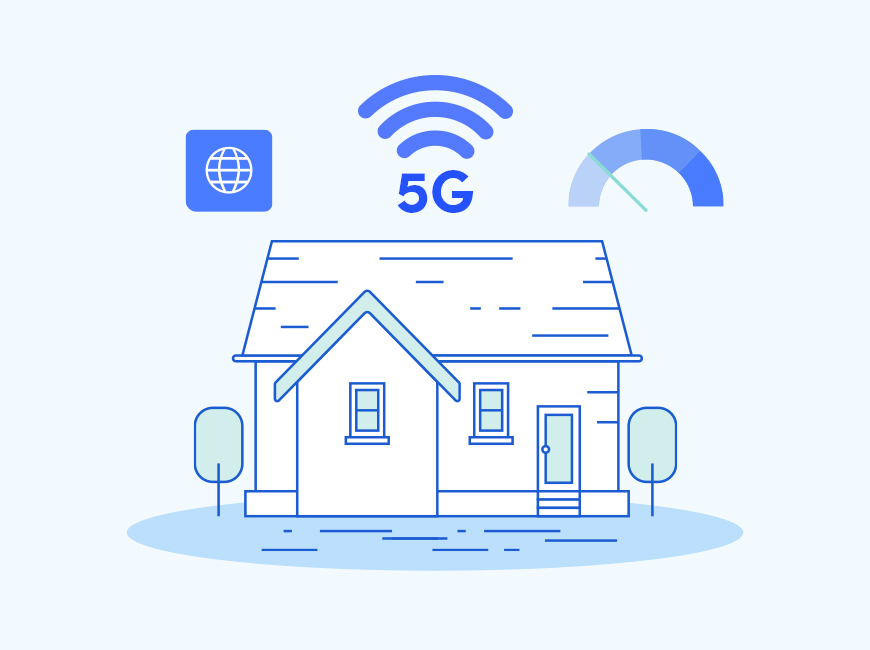
5G home internet is a form of fixed wireless internet that comes from a nearby 5G cell tower instead of a cable or fiber line to the home. The internet provider sends a wireless signal over cellular frequencies from the tower to a receiver, called a gateway, in your house, which functions like a modem. Most 5G home internet gateways have integrated Wi-Fi routers, which distribute internet access to all your devices.
Aside from the way it delivers internet to your home, 5G home internet functions similarly to any other internet connection. Here we’ll take a close look at how it works, how it compares to other internet options, and the benefits and shortfalls of 5G home internet.
Key Takeaways About 5G Home Internet
- Typical speeds: 100–300 Mbps download, 10–30 Mbps upload (varies by address)
- Latency: 10–40 ms, fluctuates with network congestion
- Availability: address-specific; rapidly expanding access
- Install: self-install gateway (takes about 15 minutes)
- Pricing: $40–$60/mo, equipment included (plan-dependent)
- Network mgmt: possible deprioritization after 1.2TB/mo during congestion (T-Mobile).

Explore 5G Options Near You
As 5G expands, it might become a viable broadband internet option for you. Click below to enter your zip code for a listing of available services in your area.
How Does 5G Home Internet Work?
5G home internet is delivered wirelessly over a cellular network to a gateway in your home that sends and receives data from the 5G internet provider. Your devices connect to it, or a Wi-fi router connected to the gateway, for internet access.
- From the Tower to Your Home: A nearby 5G cell tower sends a wireless signal to a small box in your home called a gateway (integrated modem and Wi-Fi router).
- Gateway Placement: Place the gateway where the signal is strongest, near a window or on a higher floor, using the provider’s app to guide you.
- From the Gateway to Your devices: The gateway creates your Wi-Fi network (and offers Ethernet ports) so phones, TVs, laptops, and consoles can connect.
- Your Internet Traffic’s Path: Data flows from your device, to the gateway, to the tower, on to your provider’s fiber network, and finally out to the wider internet, and back the same way when receiving data.
- Automatic Fallback: If 5G is weak or congested, the gateway can switch to 4G LTE, allowing you to stay online—often at lower speeds.
Why Does 5G Home Performance Vary?
5G home internet performance changes with signal strength, distance to the tower, obstacles (walls and trees), and tower congestion; repositioning the gateway in your home can noticeably improve speeds.
The 5G Spectrum: Three “Lanes,” Three Trade-offs
Think of 5G like a highway with slow, medium, and fast lanes. Providers mix lanes to balance coverage and speed.
- Low-band (great coverage, modest speeds): Roughly 600–850 MHz. Travels far, penetrates walls well, and can reach more homes (good for rural and suburban areas). Speeds are solid for everyday use, but not the fastest.
- Mid-band (the sweet spot for home internet): About 2–6 GHz (e.g., 2.5 GHz, C-band 3.7–3.98 GHz). Shorter range than low-band but much more capacity; often delivers speeds of 100 Mbps and up.
- mmWave / high-band (very fast, very close): 24–39 GHz and up. It can deliver fiber-like bursts at short range, but struggles through walls and needs a clear line-of-sight. It works well in densely populated areas and certain apartment buildings.
Most 5G home services blend these bands (and LTE when needed) for optimal performance at your specific address.
5G Home Internet vs. Fixed Wireless Internet: Are They the Same?
5G home internet is a type of fixed wireless internet, but the wireless technologies differ. 5G home internet uses newer 5G cellular networks, while other fixed wireless services may use radio-based frequencies. This requires a clear line of sight between the tower and your home, which may require an outdoor antenna and professional installation.
How are 5G Home Internet and Fixed Wireless Internet Similar?
- Both deliver internet over the air from a nearby tower to a device at your home.
- Faster setup vs. cable and fiber, and typically can be self-installed.
- Good as a second option where fiber isn’t available or cable is too expensive.
- Performance depends on signal quality, distance to the tower, and network congestion.
How are 5G Home Internet and Fixed Wireless Internet Different?
Their wireless technologies, availability, equipment, installation, pricing, and contracts are some of the major differences between 5G home internet and fixed wireless. Following is a closer look at the differences between the two:
| 5G Home Internet | Fixed Wireless Internet | |
|---|---|---|
| What they use | Runs on carrier 5G (with LTE fallback). | Uses LTE/4G or other point-to-multipoint radios from local WISPs. |
| Who offers it | National carriers (e.g., T-Mobile, Verizon; some AT&T areas). | Regional WISPs, co-ops, and rural providers. |
| Equipment | Indoor gateway (modem + Wi-Fi in one). | Outdoor antenna or radio, plus indoor router. |
| Installation | Usually self-install (takes about 15 minutes). | Often requires professional installation to secure a clear line-of-sight. |
| Speeds & latency | Commonly 70–300 Mbps download; latency varies with tower load. | 25–200 Mbps; varies by gear and line of sight. |
| Coverage | Address-specific within carrier 5G footprints. | Targets rural and fringe areas; coverage is hill-by-hill, line-of-sight dependent. |
| Pricing & terms | Flat-rate, no annual contract; equipment typically included. | Terms vary; install fees, equipment rental, and data policies may apply. |
| Network management | May be deprioritized during congestion (heavy users impacted first). | Policies vary; caps, priority tiers, and sector limits by provider. |
| What they use | |
| 5G Home Internet | Runs on carrier 5G (with LTE fallback). |
| Fixed Wireless Internet | Uses LTE/4G or other point-to-multipoint radios from local WISPs. |
| Who offers it | |
| 5G Home Internet | National carriers (e.g., T-Mobile, Verizon; some AT&T areas). |
| Fixed Wireless Internet | Regional WISPs, co-ops, and rural providers. |
| Equipment | |
| 5G Home Internet | Indoor gateway (modem + Wi-Fi in one). |
| Fixed Wireless Internet | Outdoor antenna or radio, plus indoor router. |
| Installation | |
| 5G Home Internet | Usually self-install (takes about 15 minutes). |
| Fixed Wireless Internet | Often requires professional installation to secure a clear line-of-sight. |
| Speeds & latency | |
| 5G Home Internet | Commonly 70â300 Mbps download; latency varies with tower load. |
| Fixed Wireless Internet | 25â200 Mbps; varies by gear and line of sight. |
| Coverage | |
| 5G Home Internet | Address-specific within carrier 5G footprints. |
| Fixed Wireless Internet | Targets rural and fringe areas; coverage is hill-by-hill, line-of-sight dependent. |
| Pricing & terms | |
| 5G Home Internet | Flat-rate, no annual contract; equipment typically included. |
| Fixed Wireless Internet | Terms vary; install fees, equipment rental, and data policies may apply. |
| Network management | |
| 5G Home Internet | May be deprioritized during congestion (heavy users impacted first). |
| Fixed Wireless Internet | Policies vary; caps, priority tiers, and sector limits by provider. |
Where Is 5G Home Internet Available Today?
5G home internet is frequently available in dense urban and suburban areas, but is also expanding into rural areas. Its ease of use, minimal infrastructure, and convenience make it one of the fastest-growing internet options today. Here are the top 5G home internet providers available now:
| Provider | Typical Speeds | Setup | Highlights |
|---|---|---|---|
| EarthLink 5G Wireless Home Internet | About 100 Mbps | Simple self-install | Transparent pricing, broad coverage |
| AT&T Internet Air | 75–225 Mbps | Plug-and-play | Strong mid-band network, bundles with mobile |
| T-Mobile 5G Home Internet | 73–245 Mbps | Self-install | Widely available, unlimited data |
| Verizon 5G Home Internet | 85–300 Mbps | Self-install | Ultra Wideband mmWave/C-band coverage, bundles with mobile |
| Provider | EarthLink 5G Wireless Home Internet |
|---|---|
| Typical Speeds | About 100 Mbps |
| Setup | Simple self-install |
| Highlights | Transparent pricing, broad coverage |
| Provider | AT&T Internet Air |
| Typical Speeds | 75â225 Mbps |
| Setup | Plug-and-play |
| Highlights | Strong mid-band network, bundles with mobile |
| Provider | T-Mobile 5G Home Internet |
| Typical Speeds | 73â245 Mbps |
| Setup | Self-install |
| Highlights | Widely available, unlimited data |
| Provider | Verizon 5G Home Internet |
| Typical Speeds | 85â300 Mbps |
| Setup | Self-install |
| Highlights | Ultra Wideband mmWave/C-band coverage, bundles with mobile |
Pricing and availability vary by location. Speeds are not guaranteed.
EarthLink

- Best internet protection
- Unlimited data included
- No credit checks
- Available in urban and suburban markets nationwide.
- No credit checks required, straightforward flat-rate pricing, and it is a good fit for renters or budget-conscious households who want 5G home internet without surprises at signup.
AT&T (Internet Air)

- Variety of plans
- Wide availability
- Fiber internet speeds
- 5G-based fixed wireless home internet is offered in select markets; availability varies by address.
T-Mobile Home Internet

- Simple 15‑minute self‑install
- No monthly equipment fees or annual contracts
- Worry‑free 15‑day test drive
- Available to about 70 million households across the country. That works out to roughly 60% of U.S. households per recent coverage updates.
- Availability is address-specific; eligibility can change as the network expands.
Verizon 5G Home Internet

- Fast symmetrical speeds
- Fiber-optics network
- No annual contracts
- Frequently available in metro and suburban areas; check your specific address.
- Verizon is pushing deeper into multi-dwelling units (apartments and condos) and dense urban footprints.
Availability is address-specific and can change as towers are upgraded. Enter your ZIP code below to see what 5G home internet providers are available in your area.
Find 5G Home Internet.
How to Set Up 5G Home Internet
When you sign up, the provider ships (or lets you pick up) a 5G gateway. After plugging it in, you’ll use an app to help find an ideal location (Placement matters: near a window or on the highest floor usually yields the best speeds). Once in position, the gateway connects to the 5G network.
From there, name your Wi-Fi network and you’re online. Most self-installations can be completed in about 15 minutes, all without a technician visit. That “plug-n-play” experience is a huge part of the appeal versus cable internet or DSL installs, which can require drilling, appointments, and waiting around for a tech.
Why No Cable or Wires Matters
- Renters and apartment or condo dwellers: You don’t have to get landlord approval to run new wiring or mount anything permanently. In most cases, you’re placing a gateway on a shelf.
- Rural and small-town addresses: If you’re in an area where laying fiber or upgrading old copper lines is expensive, 5G home internet can still reach you because it’s broadcast over the air from existing towers. That means you might finally have something better than slow DSL internet or expensive satellite internet, without waiting for someone to dig trenches down your road.
- No long-term install cost: Because the “last mile” is wireless, providers don’t have to send a crew or bury a line just for you. That’s a big reason plans are showing up with simple flat pricing, no annual contract, and included equipment. They’re treating internet connectivity more like a wireless service than a legacy utility hookup.
How Fast Is 5G Home Internet Compared to Cable and Fiber?
5G home internet speed is dependent on the underlying technology (5G, 4G/LTE, or radio waves) and the quality of your signal acquisition. Considering all variables, here are the typical speed ranges of 5G home internet:
- Download: 70–250 Mbps
- Upload: 10–30 Mbps.
- Latency: 10–40 ms
Comparing 5G Home Internet to Cable and Fiber Internet
| Category | 5G Home Internet | Cable Internet | Fiber Internet |
| Install | Self-install gateway (about 15 min) | Tech visit or self-install via coax | Tech visit; ONT and router |
| Typical Download / Upload | 100–300 Mbps / 10–30 Mbps (address-specific; can fall back to LTE) | 200–1200 Mbps / 10–100 Mbps (tier-dependent) | 300 Mbps–2+ Gbps / equal upload (symmetrical) |
| Latency | 10–40 ms; can spike with tower congestion | 10–30 ms; generally steady | 5–15 ms; very steady |
| Reliability | Varies by signal and tower load | Generally consistent; node congestion possible | Highly consistent and resilient |
| Contracts / Fees | Often no annual contract; equipment typically included | Promo pricing common; equipment/activation fees vary | Contracts vary; equipment may be included; fewer surprise fees |
| Network Management | Possible deprioritization during congestion; CG-NAT common (public IPs uncommon) | Traffic shaping possible; public IP usually available | Minimal shaping; public/static IP options common |
| Ideal User | Renters, budget-minded homes, “good-enough” broadband without wiring | Most households needing high, steady speeds at wide availability | Power users, creators, multi-remote-work homes, low-latency gamers; most future-proof |
| Category | Install |
| 5G Home Internet | Self-install gateway (about 15 min) |
| Cable Internet | Tech visit or self-install via coax |
| Fiber Internet | Tech visit; ONT and router |
| Category | Typical Download / Upload |
| 5G Home Internet | 100â300 Mbps / 10â30 Mbps (address-specific; can fall back to LTE) |
| Cable Internet | 200â1200 Mbps / 10â100 Mbps (tier-dependent) |
| Fiber Internet | 300 Mbpsâ2+ Gbps / equal upload (symmetrical) |
| Category | Latency |
| 5G Home Internet | 10â40 ms; can spike with tower congestion |
| Cable Internet | 10â30 ms; generally steady |
| Fiber Internet | 5â15 ms; very steady |
| Category | Reliability |
| 5G Home Internet | Varies by signal and tower load |
| Cable Internet | Generally consistent; node congestion possible |
| Fiber Internet | Highly consistent and resilient |
| Category | Contracts / Fees |
| 5G Home Internet | Often no annual contract; equipment typically included |
| Cable Internet | Promo pricing common; equipment/activation fees vary |
| Fiber Internet | Contracts vary; equipment may be included; fewer surprise fees |
| Category | Network Management |
| 5G Home Internet | Possible deprioritization during congestion; CG-NAT common (public IPs uncommon) |
| Cable Internet | Traffic shaping possible; public IP usually available |
| Fiber Internet | Minimal shaping; public/static IP options common |
| Category | Ideal User |
| 5G Home Internet | Renters, budget-minded homes, âgood-enoughâ broadband without wiring |
| Cable Internet | Most households needing high, steady speeds at wide availability |
| Fiber Internet | Power users, creators, multi-remote-work homes, low-latency gamers; most future-proof |
Availability and actual speeds vary by address and network.
How does 5G home internet handle common online activities?
- Streaming: 4K streaming generally needs about 25 Mbps per stream, so a 100–250 Mbps 5G connection can handle multiple TVs.
- Video conferencing: HD calls need only a few Mbps of download and upload speed, so 5G home internet typically clears this comfortably. But, latency spikes during peak usage hours can cause brief hiccups.
- Casual gaming & smart home: Many users find latency acceptable for casual gaming and smart devices. Inconsistent speeds are common if the tower gets congested.
- Power users: Creators, frequent uploaders, multi-person households, and remote workers often outgrow 5G home internet upload speeds and latency. Fiber is the best option in these cases, given its symmetrical upload and download speeds, multi-gig tiers, and stable low latency.
Bottom line: 5G home internet is fast enough for everyday streaming, school, work calls, and casual gaming, but speeds and latency can vary with tower congestion and signal quality. If you’re a power user or creator, fiber remains the safest bet where available.
What Are the Pros and Cons of 5G Home Internet?
Pros
Flat-rate pricing (averages $40–$60/mo), no annual contract, equipment included, long-term price guarantees
Fast enough for streaming and remote work in many areas
Real alternative if you don’t have access to fiber or cable
Cons
Speeds can drop at busy times (towers prioritize some traffic and may slow heavy users after 1.2TB in a billing cycle)
Coverage depends on location and address
Rural fringe and heavily obstructed locations might not qualify or might only see LTE-level speeds
What’s Next for 5G Internet?
5G home internet availability will continue to broaden as carriers expand networks, performance reliability will improve, and dense urban areas will have a boost in coverage. Carriers are lighting up new sectors and adding capacity, so availability can shift address by address, even within the same neighborhood. Verizon’s planned acquisition of Starry (announced in October 2025, targeting early-2026 close) aims to strengthen dense-building and multi-dwelling unit coverage for renters in big cities.
At the same time, the line between wireless and wired is blurring as T-Mobile (via its joint venture with EQT/Lumos) and Verizon expand fiber builds, increasing competitive pressure on legacy cable internet. With the FAA’s C-band safeguards and 2024 aircraft upgrades in place, aviation interference isn’t expected to slow 5G expansion.
Should You Switch to 5G Home Internet?
If fiber is available at a competitive price, choose fiber for its stability and speed. If not, and your address qualifies for 5G Home, it’s often the easiest, most affordable upgrade from DSL or cable internet. Consider 5G home internet if your
- Renters & apartment/condo dwellers: self-install gateway, no drilling or landlord approvals, easy to take with you when you move.
- Cord-cutters & everyday streamers: typical 5G home speeds handle multiple HD/4K streams, smart TVs, and smart-home gear.
- Rural/small-town homes stuck on DSL or pricey satellite: if your address qualifies, 5G fixed wireless can be a big step up in speed and price.
- Budget-conscious households tired of promo games: flat pricing, equipment included, and no annual contracts are common.
Stick with (or upgrade to) fiber if you need maximum performance:
- Heavy uploaders & creators: fiber’s symmetrical speeds (e.g., 500/500, 1/1+ Gbps) are better for cloud backups, livestreaming, and large file transfers.
- Households with multiple remote workers or serious gamers: ultra-stable latency and multi-gig headroom minimize hiccups during peak hours.
- Anyone building a long-term, high-capacity network: if fiber is available, it remains the most future-proof option.
FAQs About 5G Home Internet
It’s home Wi-Fi delivered over a nearby cellular tower (5G, with 4G/LTE fallback). A small gateway in your home picks up the wireless signal and creates your Wi-Fi; no coax or fiber line needed.
Typical plans land around 100–300 Mbps download with 10–30 Mbps upload, but it varies by address, tower load, and signal. Some locations see faster speeds; fringe areas can be slower.
Yes, for most households: multiple HD or 4K video streams and video conferencing are usually fine. Performance can dip at busy times if your tower is congested.
Casual and console online gaming is usually fine. Competitive gamers may prefer fiber’s low latency or fast cable because latency and jitter on wireless can fluctuate when towers are busy.
The gateway acts as both a modem and a Wi-Fi router. Many support Ethernet if you want to connect your own mesh or router; just check the provider’s bridge or passthrough options.
Plans are typically marketed as “unlimited data,” but providers may manage speeds during network congestion or after extremely high monthly usage. Check the fine print for thresholds and deprioritization language.
Signal strength, building materials, trees, hills, and distance to the tower all matter. Heavy congestion (not rain) is the more common cause of slowdowns. Placement of the gateway can noticeably improve speeds.
Availability is address-specific and changes as carriers add capacity. Your home can be eligible while a neighbor’s isn’t (or vice versa). Always run an address check, then recheck monthly.
- Fiber: Best for stability, symmetrical uploads, and multi-gig speeds; ideal for creators and multi-remote-work households.
- Cable: Generally higher and steadier speeds than wireless, especially uploads on newer DOCSIS tiers—availability is broad.
- 5G home internet: Easiest setup, flat pricing, and a strong “good-enough” alternative for many homes—performance varies by location.
Usually yes. Plug your mesh base into the gateway via Ethernet and set the gateway to bridge or passthrough mode if available (or disable its Wi-Fi).
They work as they would on any other home internet, same Wi-Fi, same apps. If devices are far from the gateway, add a mesh node or move the gateway for better coverage.
Many 5G home plans use CG-NAT, which can prevent inbound connections (hosting servers, some security cams, strict NAT gaming). VPNs (virtual private network) usually work; true static IPs are uncommon—check your provider.
Most offers are no-annual-contract with equipment included and simple, flat pricing. Always confirm taxes and internet fees, return windows, and any autopay requirements.
For typical doc sharing and HD calls, yes. If you routinely upload large files, live-stream, or need rock-steady latency, fiber is the safer pick.
No. Phone hotspots are a temporary feature tied to your mobile plan limits. 5G home internet is a dedicated home service with its own gateway and (usually) fewer restrictions.
It depends on your address and needs. 5G Home is usually cheaper, contract-free, and “good enough” for streaming, school, and work calls. Cable internet typically delivers more consistent speeds (especially uploads) and steadier latency, better for competitive gaming or heavy uploads. If you can get fiber internet, that usually beats both.
Usually, yes. The 5G gateway includes Wi-Fi, but you can plug your router or mesh nodes in via Ethernet. For best results, enable bridge or passthrough (or use DMZ) on the gateway to avoid double-NAT. Steps and availability vary by provider and gateway model.
Not like a travel hotspot. Service is tied to your registered address and radio conditions at that location; moving the gateway can violate terms and may not work elsewhere. If you move homes, you’ll need to re-check eligibility and update your service address. For true on-the-go use, look at mobile hotspot plans instead.
Explore 5G Options Near You
5G Home Internet is a viable broadband internet option for many users. Click below to enter your zip code for a listing of available services in your area.
Find providers in your area
Share this post: